Powerful CRM Features for Real Estate Agents
From instant lead capture to seamless closings - everything you need in one elegant tool.
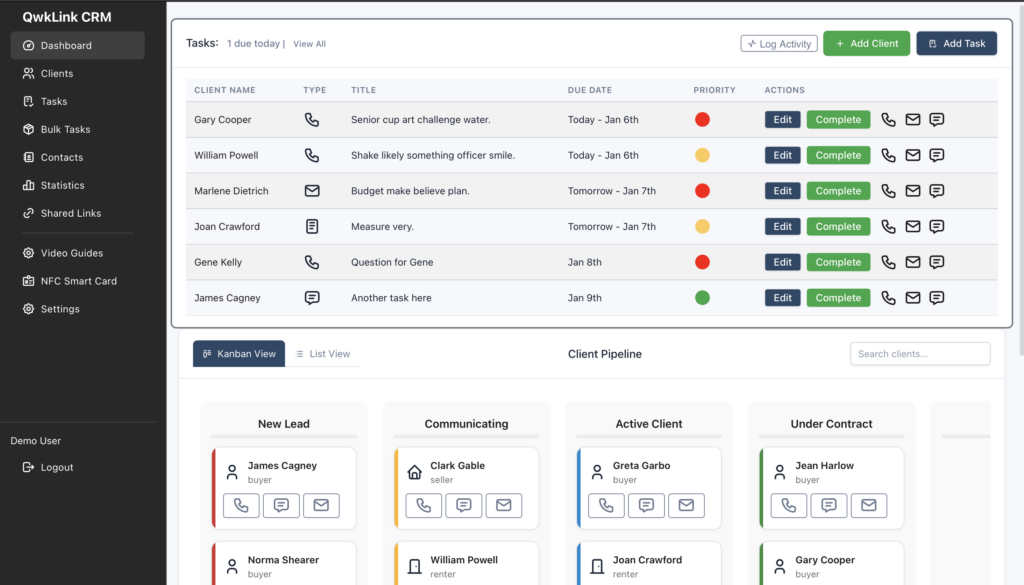
Instant Action Dashboard
Next 6 tasks. Priority colors. One-click call, text, email. Edit or complete without leaving the view. Start strong every morning.
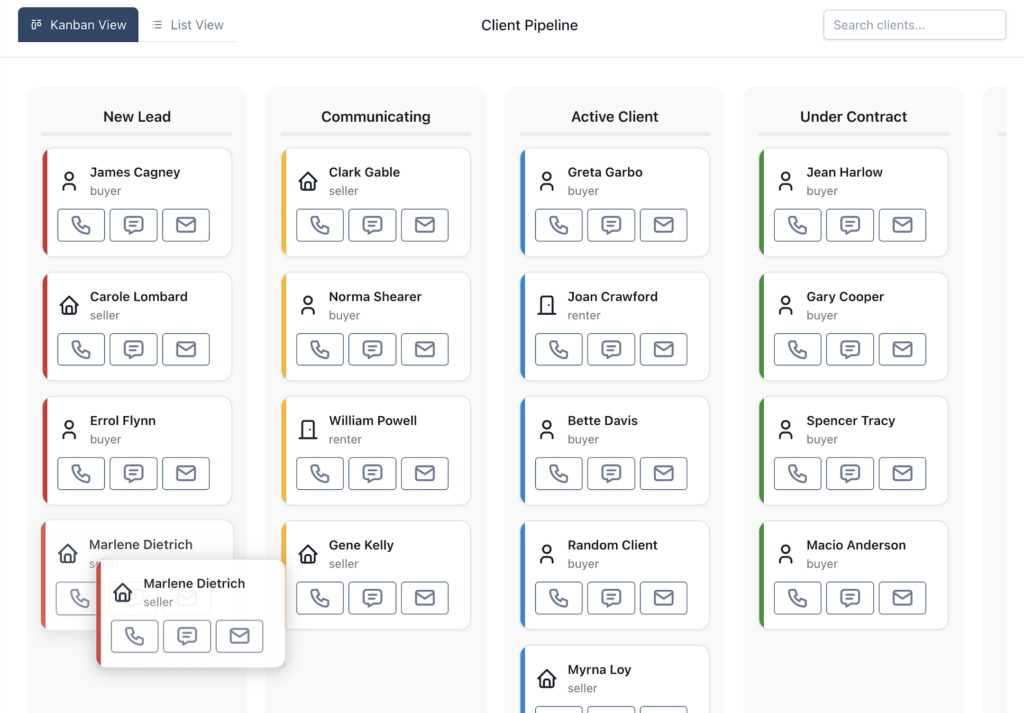
Pipeline That Flows
Kanban + list. Real statuses from New Lead to Ghosted. Drag, update, communicate, all in seconds. See exactly where money lives.
Chrome Extension Magic
Clients share Zillow favorites → appear instantly in their profile. No copy-paste. No lost leads. Pure delight.
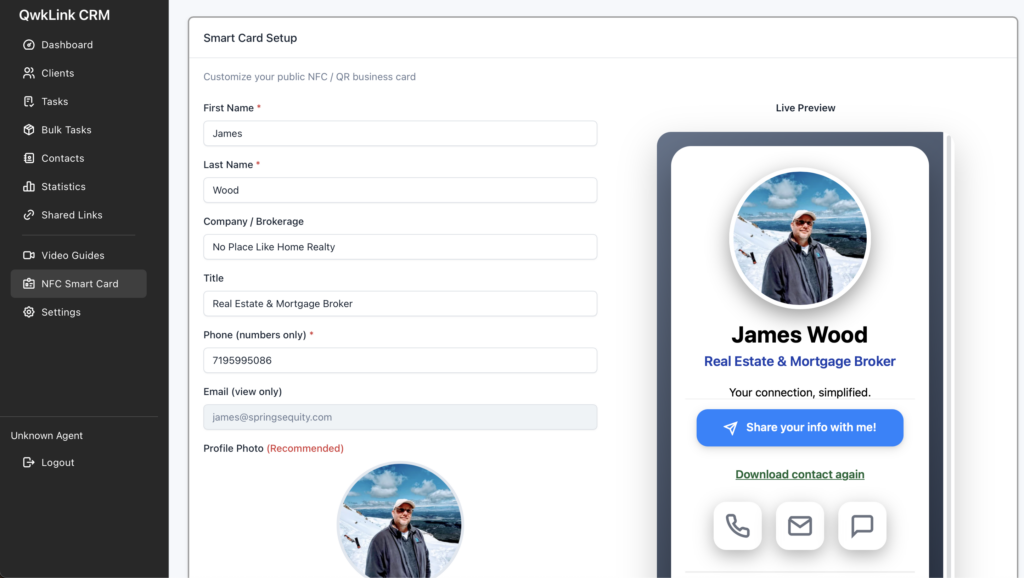
Digital Business Card
Tap to share + QR. Auto-add leads. Calendly booking. Home screen icon. Network like a pro—without the friction.
Google Calendar Sync
Bi-directional. Drag-drop. Color-matched. Your world stays in perfect harmony.
Bulk Transaction Tasks
One page. 22 closing checklist items. Assign dates once. Never miss an inspection or title deadline again.
Daily Task Emails
Get a clean email every morning listing today’s tasks, meetings, calls, and follow-ups. Log every interaction (call/text/email/meeting/note) per client for complete audit trails, compliance, and easy relationship history review.
Mobile-First Access
Use QwkLink on your phone like a native app—no downloads needed. Add to your home screen in seconds for one-tap launch, full features (tasks, pipeline, calls/texts/emails, updates), and offline viewing of key data. Fast, lightweight, always current—perfect for showings and open houses.
Mobile Access That Feels Like an App
No app store downloads, no updates to chase. Add QwkLink to your home screen in seconds for instant, full-featured access wherever you are. Showings, open houses, or on the road in Colorado Springs.
Key Features
- One-tap launch: Tap the icon on your home screen and go.
- Full power on mobile: Make calls, texts/emails, update statuses, do it all from your phone.
- Always current: No manual installs.
- Saves space: Lightweight and fast.
How to Add It
- Open QwkLink on your phone’s browser.
- Tap the share menu (iPhone: square with arrow; Android: three dots).
- Choose “Add to Home Screen.”
- Name it “QwkLink” and tap Add. Boom—your CRM is now a tap away, just like any other app!